
 ASP.NET
分享三款美观的html按钮样式
html教程:本文为大家分享了三款美观的html按钮样式,具有一定的参考价值,希望可以帮助到大家。...

(推荐教程:html视频教程)

样式如下:

按钮样式三:

按钮样式一:
<!DOCTYPE HTML PUBLIC "-//W3C//DTD HTML 4.01 Transitional//EN" ""> <html> <head> <title>Untitled Document</title> <meta http-equiv="Content-Type" content="text/html; charset=gb2312"> <link rel="stylesheet" type="text/css" href=https://www.ym97.com/"" /> <script type="text/javascript" src=https://www.ym97.com/"btn.js"></script> <style type="text/css" media="screen"> body { padding: 20px; font-size: 0.85em; font-family: georgia, serif; } .btn { display: block; position: relative; background: #aaa; padding: 5px; float: left; color: #fff; text-decoration: none; cursor: pointer; } .btn * { font-style: normal; background-image: url(btn2.png); background-repeat: no-repeat; display: block; position: relative; } .btn i { background-position: top left; position: absolute; margin-bottom: -5px; top: 0; left: 0; width: 5px; height: 5px; } .btn span { background-position: bottom left; left: -5px; padding: 0 0 5px 10px; margin-bottom: -5px; } .btn span i { background-position: bottom right; margin-bottom: 0; position: absolute; left: 100%; width: 10px; height: 100%; top: 0; } .btn span span { background-position: top right; position: absolute; right: -10px; margin-left: 10px; top: -5px; height: 0; } * html .btn span, * html .btn i { float: left; width: auto; background-image: none; cursor: pointer; } .btn.blue { background: #2ae; } .btn.green { background: #9d4; } .btn.pink { background: #e1a; } .btn:hover { background-color: #a00; } .btn:active { background-color: #444; } .btn[class] { background-image: url(shade.png); background-position: bottom; } * html .btn { border: 3px double #aaa; } * html .btn.blue { border-color: #2ae; } * html .btn.green { border-color: #9d4; } * html .btn.pink { border-color: #e1a; } * html .btn:hover { border-color: #a00; } p { clear: both; padding-bottom: 2em; } form { margin-top: 2em; } form p .btn { margin-right: 1em; } textarea { margin: 1em 0;} </style> </head> <body> <p><a href="#" class="btn blue">This is a blue button</a></p> <p><a href="#" class="btn green">This should be a green button</a></p> <p><big><a href="#" class="btn blue big">Big Text</a></big></p> <form method="post" action="#"> <fieldset> <legend>Form Example</legend> <div><input type="text" /></div> <div><textarea cols="40" rows="10"></textarea></div> <p><input type="Button" id="reset_btn" value="Reset" class="btn" /> <input type="Submit" id="submit_btn" value="Submit this form" class="btn pink" /></p> </fieldset> </form> </body> </html>相关推荐:html教程
以上就是分享三款美观的html按钮样式的详细内容,更多请关注聚合云库其它相关文章!
<!DOCTYPE html PUBLIC "-//W3C//DTD XHTML 1.0 Transitional//EN" ""> <html xmlns=""> <head runat="server"> <title></title> <style> #login_click{ margin-top:32px; height:40px;} #login_click a { text-decoration:none; background:#2f435e; color:#f2f2f2; padding: 10px 30px 10px 30px; font-size:16px; font-family: 微软雅黑,宋体,Arial,Helvetica,Verdana,sans-serif; font-weight:bold; border-radius:3px; -webkit-transition:all linear 0.30s; -moz-transition:all linear 0.30s; transition:all linear 0.30s; } #login_click a:hover { background:#385f9e; } </style> </head> <body> <form id="form1" runat="server"> <div> <div style=" width:386px; height:332px; margin-left:auto; margin-right:auto"> <div id="login_form" > <div id="form_account"> 账户:<input id="txt_account" runat="server" type="text" placeholder="用户名或邮件地址" /> </div> <div id="form_password" > 密码:<input id="txt_password" runat="server" type="password" placeholder="请输入密码" /> </div> <div id="login_click"> <a id="btlogin" href="#">登 录</a> </div> </div> </div> </div> </form> </body> </html>按钮样式二:
相关热词: HTML
本站内容来源于网络,如有侵权请与我们联系,我们会及时删除,我们深感抱歉!
注:本站所有信息仅供用于网络技术学习参考,学习中请遵循相关法律法规!
本文地址: https://v30.fanwenzhu.com/jiaob/cssm/4726.shtml
上一篇:layui不同版本在使用上的差
下一篇:详细介绍meta标签
相关文章
热门TAG
win10 ecshop 主机 阿里云 解决 配置 C# C++ 解析 SQL语句 命令 Go语言 方法 CSS3 HTML5 CSS win7 MSSQL 服务器配置 IIS7.5 IIS7 IIS6 IIS CentOS 7 Linux oracle数据库 oracle phpcms discuz discuz教程最新文章
-
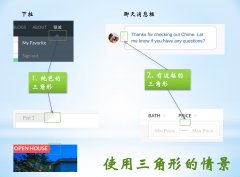 其中border-left决定了底部直
时间:2021-01-23
-
 当你自己回头来看你写的
时间:2021-01-23
-
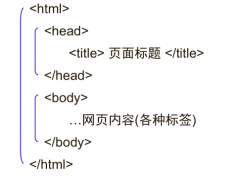 ④格式标签 粗体:b/b 斜
时间:2021-01-23
-
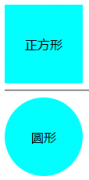 我们直接看代码: !DOCTY
时间:2021-01-23
-
 这里就是吐槽的IE6!) 图
时间:2021-01-23
-
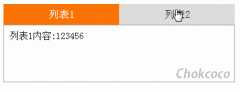 假设我们的HTML代码如下:
时间:2021-01-23
-
 那么使用 CSS3 新增的选择
时间:2021-01-23
-
 scaleGlassRectangle.y
时间:2021-01-23
热门文章
-
 可以加我的HTML5前端交流群111645711 CSS源码
时间:2021-01-15
-
 就可以对子元素进行 3D 变形操作了
时间:2021-01-12
-
 用css让一个容器水平垂直
时间:2021-01-12
-
 而没有设置高度
时间:2021-01-19
-
 canvas与html5实现视频截图成果
时间:2021-01-19
-
 所以通常不需要发送
时间:2021-01-19
-
 我们尝试一下更新一下HTML结构
时间:2021-01-23
-
scaleGlassRectangle.y
时间:2021-01-23
-
 HTML5生拖放实例分析
时间:2021-01-12
-
 在全局:root{ }伪类中定义了一个 CSS 变量
时间:2021-01-21