
 mysql
mysqlAndroidSqlite操作之 自定义ORM关系实体映射类
任何android应用程序都少不了数据库的操作,即使是客户端程序也会有一些特定的数据存入到数据库中,例如:用户浏览记录,收藏列表等等,所以数据库的操作就是一个会很频繁使用的操作,所以对这个部分的封装就很有必要了,Web端有Hibernate等一系列优秀的框架,虽然android应用程序在git上也有一些开源的OOM框架,但总觉得还是没必要引入第三方的东西,于是就自己封装了一个数据库操作类,只要调用此类相应的方法,传入要保存的实体对象或更新的实体对象即可,查询也是同样的,只要传入查询条件和Class,就返回对应的实体对象,这样只要我们进行一次封装,以后就可以直接用这个类去操作数据库,而不必每次都写繁杂的sql语句.下面就是我封装类的部分代码:
import com.micen.buyers.module.db.Module; /********************************************************** * @文件名称:DBDataHelper.java * @创建时间:2014-2-10 下午02:41:51 * @文件描述:数据库操作助手类 * @修改历史:2014-2-10创建初始版本 **********************************************************/ public final class DBDataHelper { private static DBDataHelper dataHelper = null; private DBHelper dbHelper = null; private static final String SELECT = "select "; private static final String FROM = " from "; private static final String WHERE = " where "; private static final String ORDER_BY = " order by "; private DBDataHelper() { dbHelper = DBHelper.getInstance(); } public static DBDataHelper getInstance() { if (dataHelper == null) { dataHelper = new DBDataHelper(); } return dataHelper; } /** * 根据条件查询数据库表 * @param tableName * @param showColumns * @param selection * @param selectionArgs * @param orderBy * @param cls * @return */ public ArrayList<Module> select(String tableName, String showColumns, String selection, String selectionArgs, String orderBy, Class<?> cls) { synchronized (dbHelper) { ArrayList<Module> moduleList = new ArrayList<Module>(); SQLiteDatabase db = null; try { db = dbHelper.getReadableDatabase(); String sql = SELECT; sql += showColumns != null ? showColumns : "*"; sql += FROM + tableName; if (selection != null && selectionArgs != null) { sql += WHERE + selection + " = " + selectionArgs; } if (orderBy != null) { sql += ORDER_BY + orderBy; } Cursor cursor = db.rawQuery(sql, null); changeToList(cursor, moduleList, cls); } catch (Exception e) { e.printStackTrace(); } finally { dbHelper.closeDatabase(db); } return moduleList; } } /** * 查找数据表 * * @param table * 要操作的表 * @param selection * 匹配条件,例如"id>?and name <>?",不需要可以设为null * @param selectionArgs * 与selection相对应,里面的字符串将替换selection里的"?", * 构成完整的匹配条件,例如{"6","jack"} * @param orderby 排序参数 * @param moduleClass * 要转化成的模型类Class,例如要转成WebPage则传入WebPage.class * @return 数据模型集合,集合是的对象类型为moduleClass */ public ArrayList<Module> select(final String table, final String selection, final String[] selectionArgs, final String orderby, final Class<?> moduleClass) { SQLiteDatabase database = null; Cursor cursor = null; ArrayList<Module> moduleList = new ArrayList<Module>(); synchronized (dbHelper) { try { database = dbHelper.getReadableDatabase(); // 查询数据 cursor = database.query(table, null, selection, selectionArgs, null, null, orderby, null); // 将结果转换成为数据模型 changeToList(cursor, moduleList, moduleClass); } catch (Exception e) { e.printStackTrace(); } finally { dbHelper.closeDatabase(database); } return moduleList; } } private void changeToList(Cursor cursor, List<Module> modules, Class<?> moduleClass) { // 取出所有的列名 int count = cursor.getCount(); Module module; cursor.moveToFirst(); synchronized (dbHelper) { try { // 遍历游标 for (int i = 0; i < count; i++) { // 转化为moduleClass类的一个实例 module = changeToModule(cursor, moduleClass); modules.add(module); cursor.moveToNext(); } } catch (SecurityException e) { // Log.e(TAG, e + FusionCode.EMPTY_STRING); } catch (IllegalArgumentException e) { // Log.e(TAG, e + FusionCode.EMPTY_STRING); } catch (IllegalAccessException e) { // Log.e(TAG, e + FusionCode.EMPTY_STRING); } catch (InstantiationException e) { // Log.e(TAG, e + FusionCode.EMPTY_STRING); } catch (NoSuchFieldException e) { System.out.println(""); } finally { cursor.close(); } } } private Module changeToModule(Cursor cursor, Class<?> moduleClass) throws IllegalAccessException, InstantiationException, SecurityException, NoSuchFieldException { synchronized (dbHelper) { // 取出所有的列名 String[] columnNames = cursor.getColumnNames(); String filedValue; int columncount = columnNames.length; Field field; Module module = (Module) moduleClass.newInstance(); // 遍历有列 for (int j = 0; j < columncount; j++) { // 根据列名找到相对应 的字段 field = moduleClass.getField(columnNames[j]); filedValue = cursor.getString(j); if (filedValue != null) { field.set(module, filedValue.trim()); } } return module; } } /** * 向数据库插入数据 * * @param table * 要操作的表 * @param module * 数据模型,id设为自增,若没指定,则自动生成;若指定则插入指定的id, * 但是在数据表已存在该id的情况下会导致插入失败,建议不指定id * @return 插入行的行号,可以看作是id */ public long insert(final String table, final Module module) { synchronized (dbHelper) { ContentValues values = moduleToContentValues(module); return dbHelper.insert(table, null, values); } } /** * 向数据库更新数据 * * @param table * 要操作的表 * @param module * @return 更新行的行号,可以看作是id */ public long update(final String table, final Module module) { synchronized (dbHelper) { ContentValues values = moduleToContentValues(module); return dbHelper.update(table, values, DBHelper.ID + "=http://www.it165.net/database/html/201411/?", new String[] { module.id }); } } /** * 删除一条数据记录 * * @param table * 要操作的表 * @param module * 数据模型,该操作是根据id删除的,若id为null或不正确是不能成功删除的 * @return 数据表受影响的行数,0或1 */ public int delete(final String table, final Module module) { synchronized (dbHelper) { return dbHelper.delete(table, "id=http://www.it165.net/database/html/201411/?", new String[] { module.id }); } } /** * 删除数据 * * @param table * 要操作的表 * @param whereClause * 匹配条件,例如"id>?and name <>?",符合条件的记录将被删除, * 不需要可以设为null,这样整张表的内容都会被删除 * @param whereArgs * 与selection相对应,里面的字符串将替换selection里的"?", * 构成完整的匹配条件,例如{"6","jack"} * @return 数据表受影响的行数 */ public int delete(final String table, final String whereClause, final String[] whereArgs) { synchronized (dbHelper) { return dbHelper.delete(table, whereClause, whereArgs); } } /** * 将Module类型转成ContentValues * * @param module * 源Module * @return ContentValues * @author shenghua.lin */ private ContentValues moduleToContentValues(final Module module) { ContentValues values = new ContentValues(); Field[] fields = module.getClass().getFields(); String fieldName; String fieldValue; int fieldValueForInt = -1; try { for (Field field : fields) { fieldName = field.getName(); if (field.get(module) instanceof String) { fieldValue = (String) field.get(module); if (fieldValue != null) { values.put(fieldName, fieldValue.trim()); } else { values.put(fieldName, ""); } } else if (field.get(module) instanceof Integer) { fieldValueForInt = (Integer) field.get(module); if (fieldValueForInt != -1) { values.put(fieldName, fieldValueForInt); } } } } catch (IllegalArgumentException e) { } catch (IllegalAccessException e) { } return values; } }思路: 对Sqlite的CRUD操作,其实就是实体类与android ContentValues的相互转化,那么我们通过反射,是可以做到两种类间的相互转化的,也就可以实现ORM映射了.避免了引入第三方库的学习成本.
相关热词:
本站内容来源于网络,如有侵权请与我们联系,我们会及时删除,我们深感抱歉!
注:本站所有信息仅供用于网络技术学习参考,学习中请遵循相关法律法规!
本文地址: https://v30.fanwenzhu.com/sql/sqlite/11856.shtml
相关文章
热门TAG
win10 ecshop 主机 阿里云 解决 配置 C# C++ 解析 SQL语句 命令 Go语言 方法 CSS3 HTML5 CSS win7 MSSQL 服务器配置 IIS7.5 IIS7 IIS6 IIS CentOS 7 Linux oracle数据库 oracle phpcms discuz discuz教程最新文章
-
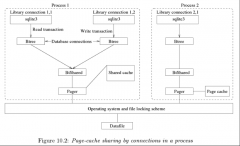 sqlite只通过文件锁就可以
时间:2021-01-23
-
 返回的是一个SQLiteDatabas
时间:2021-01-23
-
 只不过它是OC方式封装了
时间:2021-01-23
-
 应该增加autoincrementcreate
时间:2021-01-23
-
 如果没有就从Bundle中把数
时间:2021-01-23
-
 Linux 部署ASP.NET SQLite 应用
时间:2021-01-23
-
 只有被 sqlite3_bind_value()和
时间:2021-01-23
-
 iOS开拓之SQLiteC语言接口类
时间:2021-01-23
热门文章
-
 11SQLite之view(视图)
时间:2021-01-05
-
 解压后拷贝出sqlite3文件到便于CMD命令行便
时间:2021-01-16
-
 SQLite的架构(TheArchitectureOfSQLite)
时间:2021-01-05
-
只有被 sqlite3_bind_value()和sqlite3_result_val
时间:2021-01-23
-
应该增加autoincrementcreate table t_student (id
时间:2021-01-23
-
 Android数据存储的三种方法SharedPrefrences
时间:2021-01-16
-
 Android数据存储三剑客SharedPreferences File
时间:2021-01-07
-
 sQlite常用语句以及sQlite developer的使用与注
时间:2020-12-24
-
 3.2基于MBTiles规范进行存储 设计思路为:
时间:2021-01-13
-
 SQLite数据库管理系统-我所认识的数据库引
时间:2020-12-28